Enterprise BI
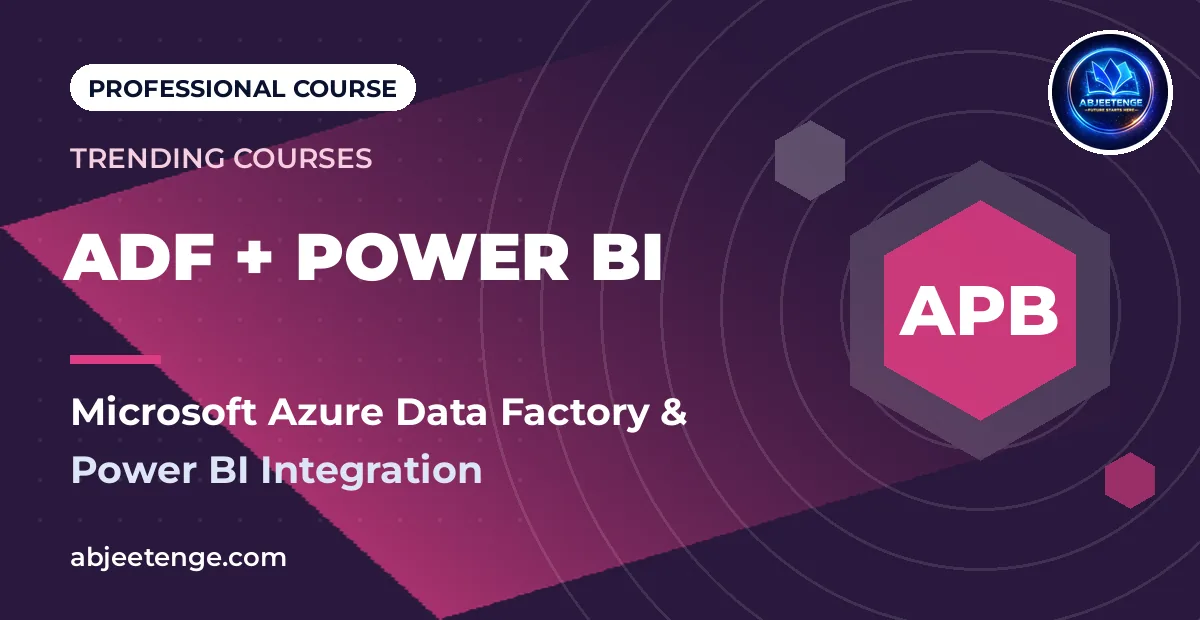
Master Microsoft Azure Data Factory & Power BI Integration
Connect Azure Synapse & SQL Database to Power BI. Create real-time dashboards, DAX measures, and enterprise reporting solutions.
Live Hands-on Project Labs with Real Client Scenarios
Official Certification Exam Preparation & Study Guides
6 Months Access; renewals stack. There is no lifetime access.
Special Certification Pricing
₹13,499
₹16,499
18% OFF
Enroll In Course Now
Call Advisor: 7303080255
This Course Includes:
- 40 Hours � — live and on-demand
- Real-world Enterprise Project Repositories
- 6 Months Access; renewals stack. There is no lifetime access.
- Official Global Certificate of Completion
- 100% Guaranteed Job Placement Assistance
- Access on Mobile, Tablet & Desktop
100% Career & Satisfaction Guarantee
Course Overview & Learning Objectives
Learn seamless end-to-end integration between Azure cloud data infrastructure and Power BI business intelligence dashboards. Master Azure Data Factory ETL pipelines, Data Lake Storage Gen2, Synapse Analytics, and DirectQuery dashboards.
Industry Certification
Globally Recognized
Live Client Projects
Hands-on Labs
Placement Support
100+ Hiring Partners
6 Months Access
Renewals stack; no lifetime access
Curriculum & Detailed Syllabus
Structured module-by-module learning roadmap tailored specifically for Microsoft Azure Data Factory & Power BI Integration.
- Introduction & Architectural Foundation of Microsoft Azure Data Factory & Power BI Integration
- Setting up Enterprise Development Tenant & Environment for Microsoft Azure Data Factory & Power BI Integration
- Core Schemas, Protocols & Configs in Microsoft Azure Data Factory & Power BI Integration
- Security & Access Control Best Practices for Microsoft Azure Data Factory & Power BI Integration
- Building Custom Data Models & Entities in Microsoft Azure Data Factory & Power BI Integration
- Automating Business Logic & Workflows in Microsoft Azure Data Factory & Power BI Integration
- Configuring Role-Based Security & Permissions in Microsoft Azure Data Factory & Power BI Integration
- API Endpoints & Integration Scenarios for Microsoft Azure Data Factory & Power BI Integration
- Writing Custom Extensions, Plugins & Scripts for Microsoft Azure Data Factory & Power BI Integration
- Troubleshooting, Diagnostics & Performance Tuning in Microsoft Azure Data Factory & Power BI Integration
- Building Enterprise Reporting Dashboards for Microsoft Azure Data Factory & Power BI Integration
- Handling Production Edge Cases & Scaling Microsoft Azure Data Factory & Power BI Integration
- End-to-End Live Client Project on Microsoft Azure Data Factory & Power BI Integration
- Official Microsoft Azure Data Factory & Power BI Integration Exam Pattern, Practice Tests & Mock Exams
- Resume Optimization & Mock Technical Interviews for Microsoft Azure Data Factory & Power BI Integration Roles
- Direct Placement Referrals to Partner Companies
Who Is This Course For?
- Fresh Graduates aiming for top IT & Cloud jobs
- Non-IT Professionals switching to Developer roles
- Developers preparing for Microsoft Azure Data Factory & Power BI Integration exam
- Tech enthusiasts seeking hands-on project portfolio
Prerequisites & Requirements
- Basic computer operation & internet literacy
- No prior advanced coding experience mandatory
- Passion to learn & dedicate 5-8 hours weekly
- Laptop/PC with standard web browser & internet
Career Opportunities & Target Roles
Completing Microsoft Azure Data Factory & Power BI Integration unlocks high-paying job opportunities across global IT companies:
Microsoft Azure Data Factory & Power BI Integration Developer
Microsoft Azure Data Factory & Power BI Integration Specialist
Trending Courses Consultant
Enterprise Solutions Architect
Frequently Asked Questions
Is this course on Microsoft Azure Data Factory & Power BI Integration suitable for beginners with no prior experience?
Yes! The curriculum for Microsoft Azure Data Factory & Power BI Integration starts from fundamental basics before diving into advanced hands-on enterprise projects.
What key skills will I master in Microsoft Azure Data Factory & Power BI Integration?
You will master end-to-end practical development, configuration, debugging, and live client project execution for Microsoft Azure Data Factory & Power BI Integration.
Will I receive official certification guidance for Microsoft Azure Data Factory & Power BI Integration?
Yes! You get dedicated preparation for official Microsoft Azure Data Factory & Power BI Integration certification exams along with practice dumps and mock tests.
What career opportunities open up after completing Microsoft Azure Data Factory & Power BI Integration?
Completing Microsoft Azure Data Factory & Power BI Integration prepares you for in-demand roles like Microsoft Azure Data Factory & Power BI Integration Specialist, Developer, Consultant, and Systems Architect.
How long do I have access after I buy?
Access lasts 6 Months Access from the date of purchase. If you buy again before that period ends, another 6 months are added from your current end date. There is no lifetime access.